2026-06-10
Release notes for v0.1
First Raven Release
Raven Engine v0.1 - Aurora
Release Date: 10th of June 2026
Welcome to Aurora -- the first public release of Raven Engine.
Aurora establishes the foundation of Raven's architecture, introducing the core systems required for game development, including rendering, asset management, scene composition, editor tooling, scripting, and runtime infrastructure.
While this release represents only the beginning of Raven's journey, it provides the groundwork upon which all future engine development will be built.
Table of Contents
Introduction
Raven Engine was created with a simple goal: provide a modern, native C++ game engine with full source transparency and minimal abstraction barriers between the engine and game code. We believe developers should be able to understand, extend, and modify every layer of the engine without fighting hidden systems or managed runtimes
Rendering
As our rendering system functions Illumine. All of the Rendering code is written by hand from scratch, utilizing Vulkan as the underlying API.
Forward+ Tiled Light Culling
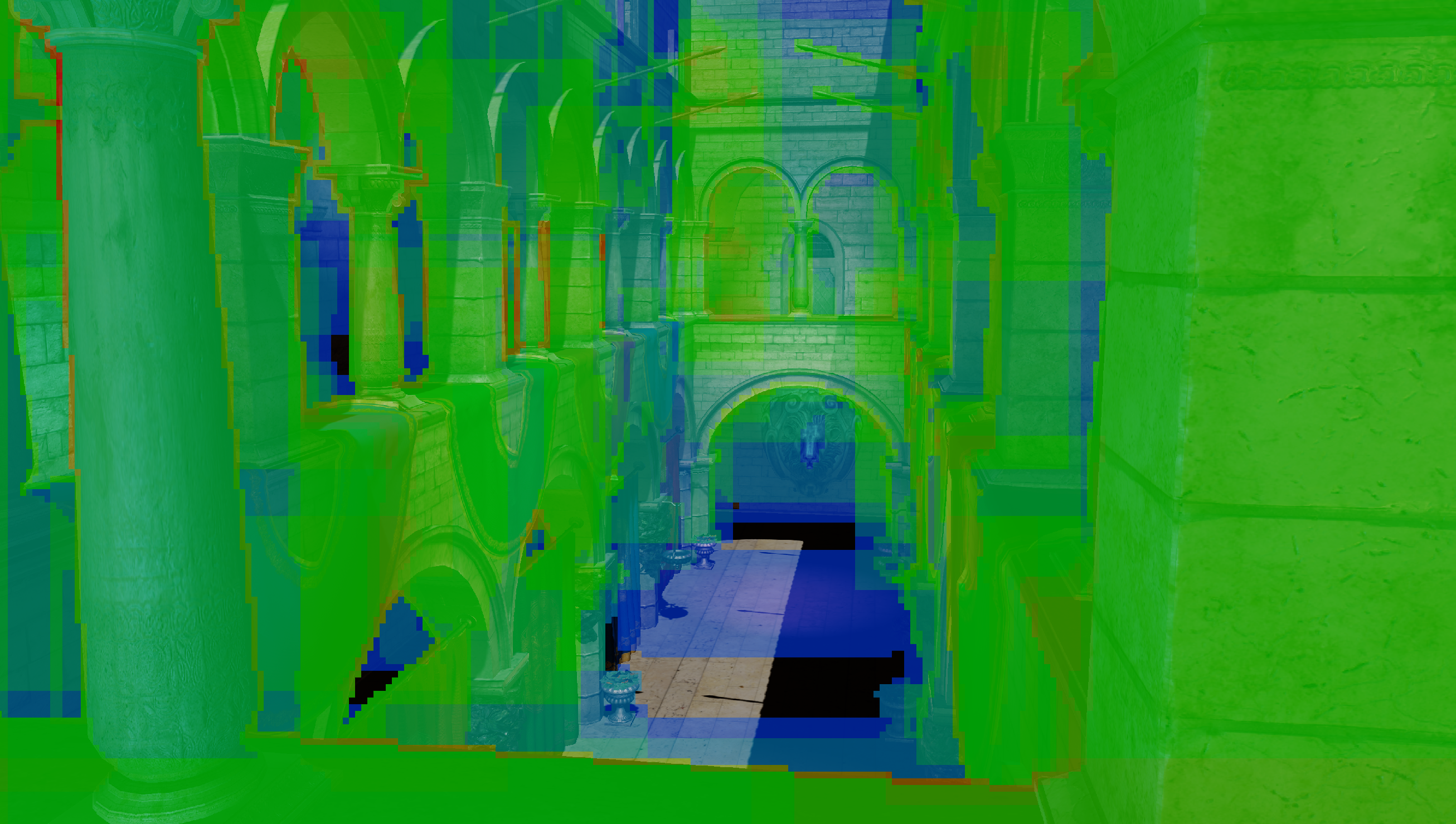
v0.1 ships with a full Forward+ pipeline. The screen is divided into 16x16 pixel tiles. A compute shader runs before the main pass, culling the scene's light list against each tile's view frustum. The result is per-tile light index lists, which get consumed by the fragment shader directly.
This allows us to support up to 4096 dynamic lights in a single scene.
Shadow Mapping
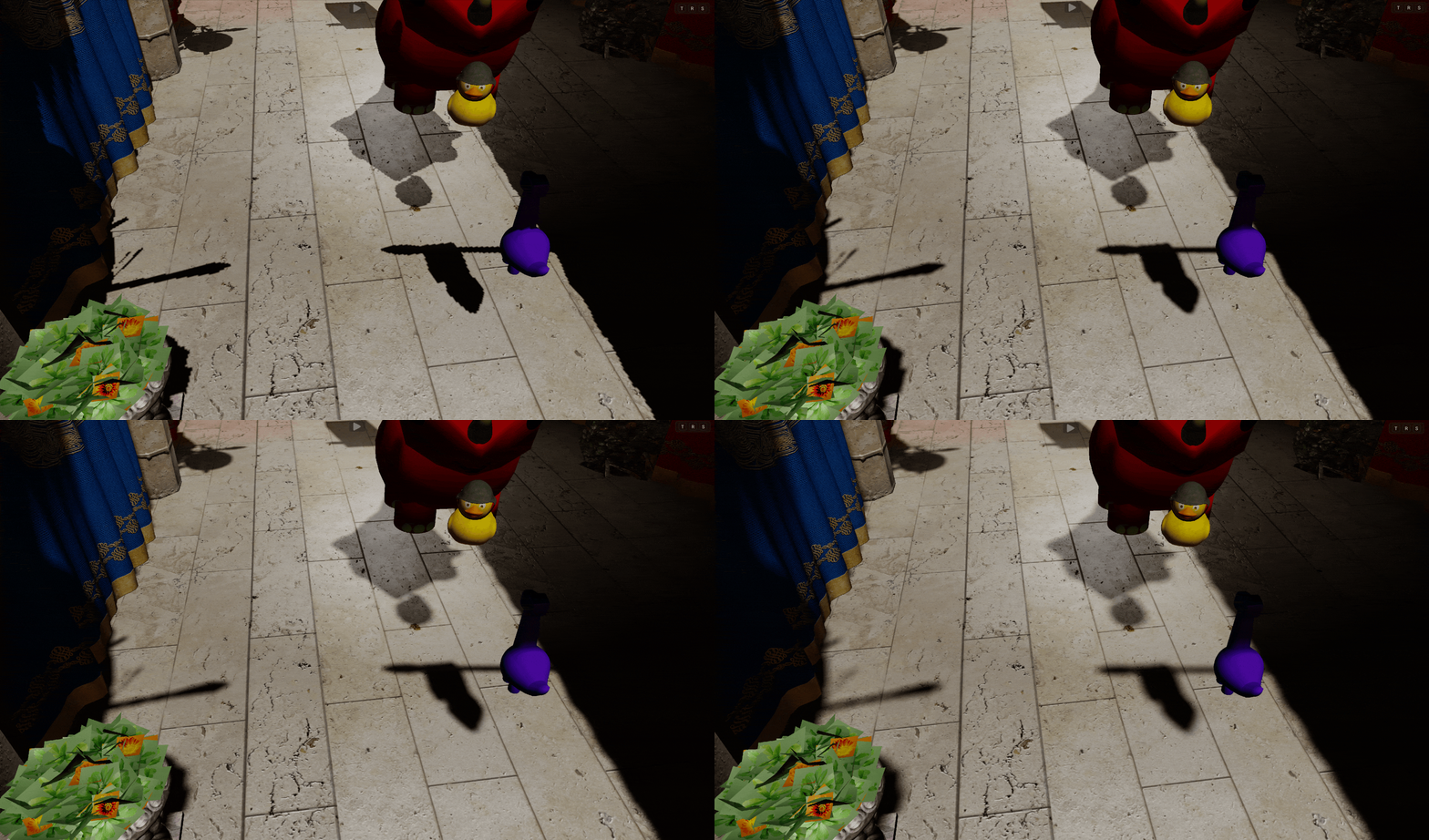
Directional shadow mapping is implemented end-to-end, included dedicated depth-only pass, configurable slop-scale bias, and Percantage Closer Filtering (PCF) for soft shadow edges. Shadow settings persist across sessions.
HBAO
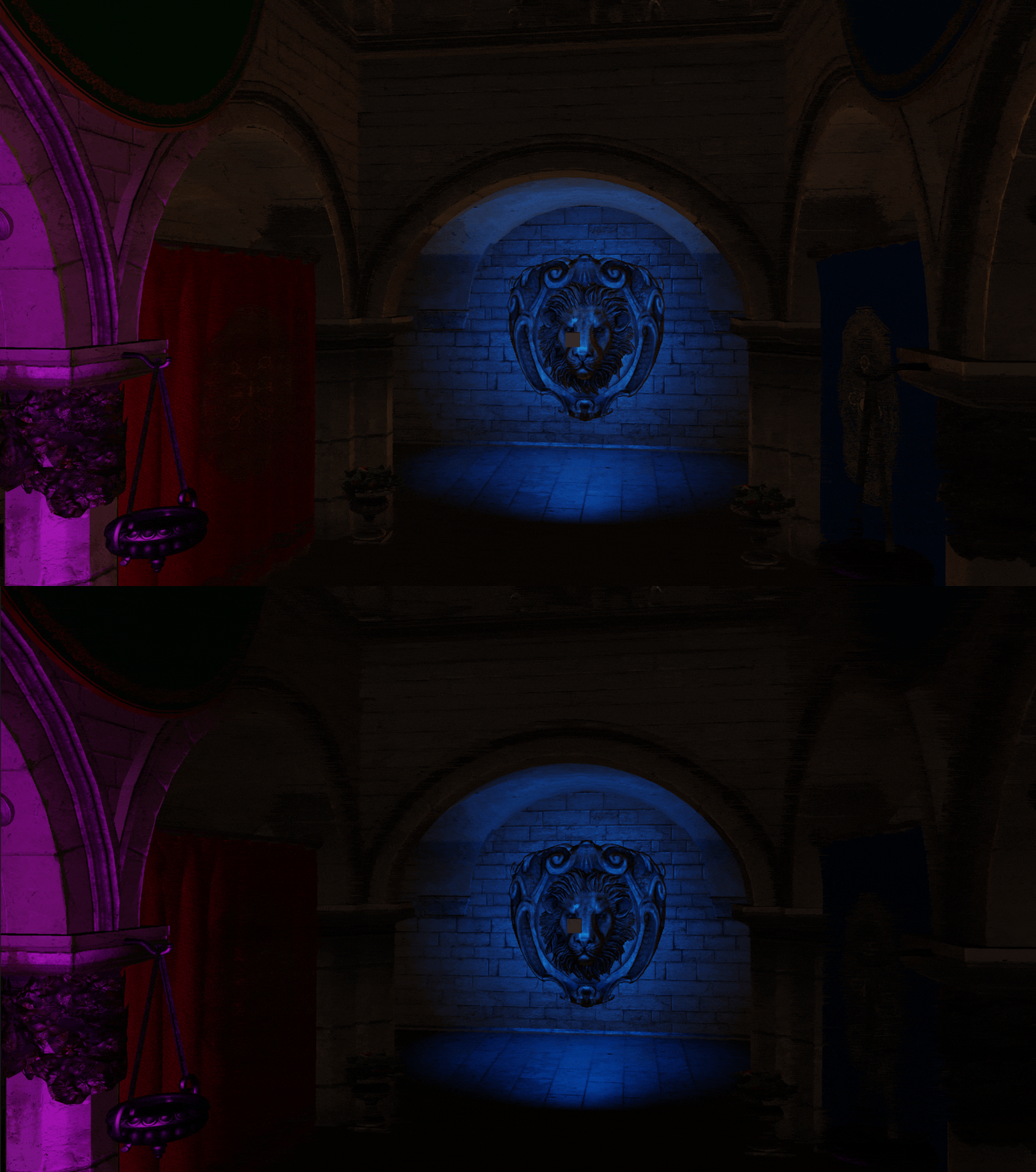
HBAO has been fully integrated and runs right after the Prepass, utilizing the normals and depth image generated there to speed up computation time. It is noteworthy that our HBAO implementation currently renders the AO image at whatever the window resolution is, which yields worse performance.
This will be addressed in a future release, along with quality improvements
Physics
Physics integration is handled by Pulsar, Raven's physics module built on top of Jolt Phyiscs.
Currently the support for shapes is very minimal and is thus limited to the following Shapes:
- Box
- Sphere
- Capsule
Collider Visualization
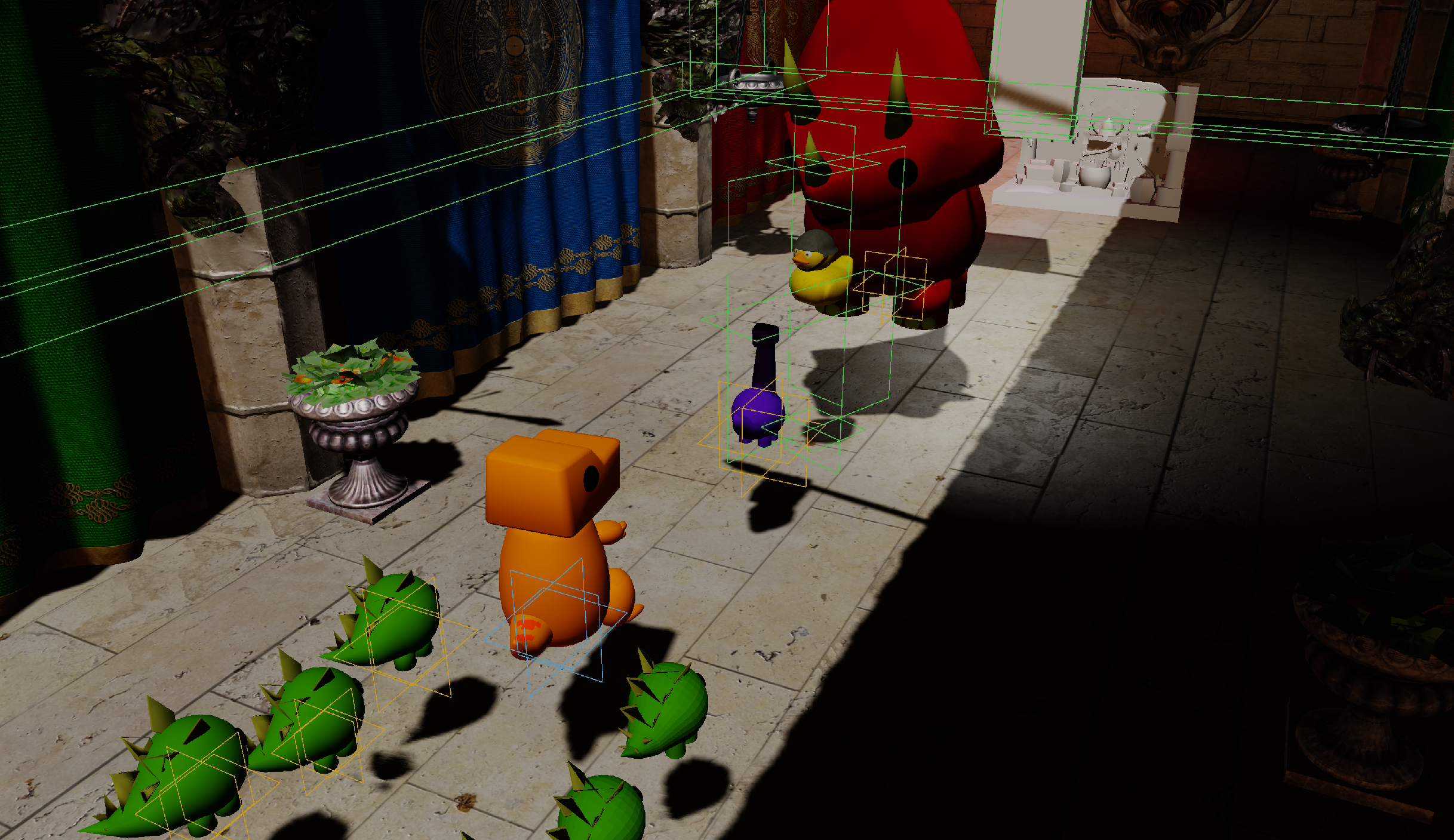
All active colliders get rendered as Lines and their outlines are approximated using Data gathered from Jolt. This system will be expanded upon in a future release, where wireframes will be used to visualize these colliders.
In the figure below you may notice different collider colors, this is because every type of collider gets a different color assigned to it to make spotting accidental misassignments easy. The colors are as follows:
- Green -> Static Collider
- Yellow -> Dynamic Collider
- Blue -> Kinematic Collider
Rigidbody Simulation
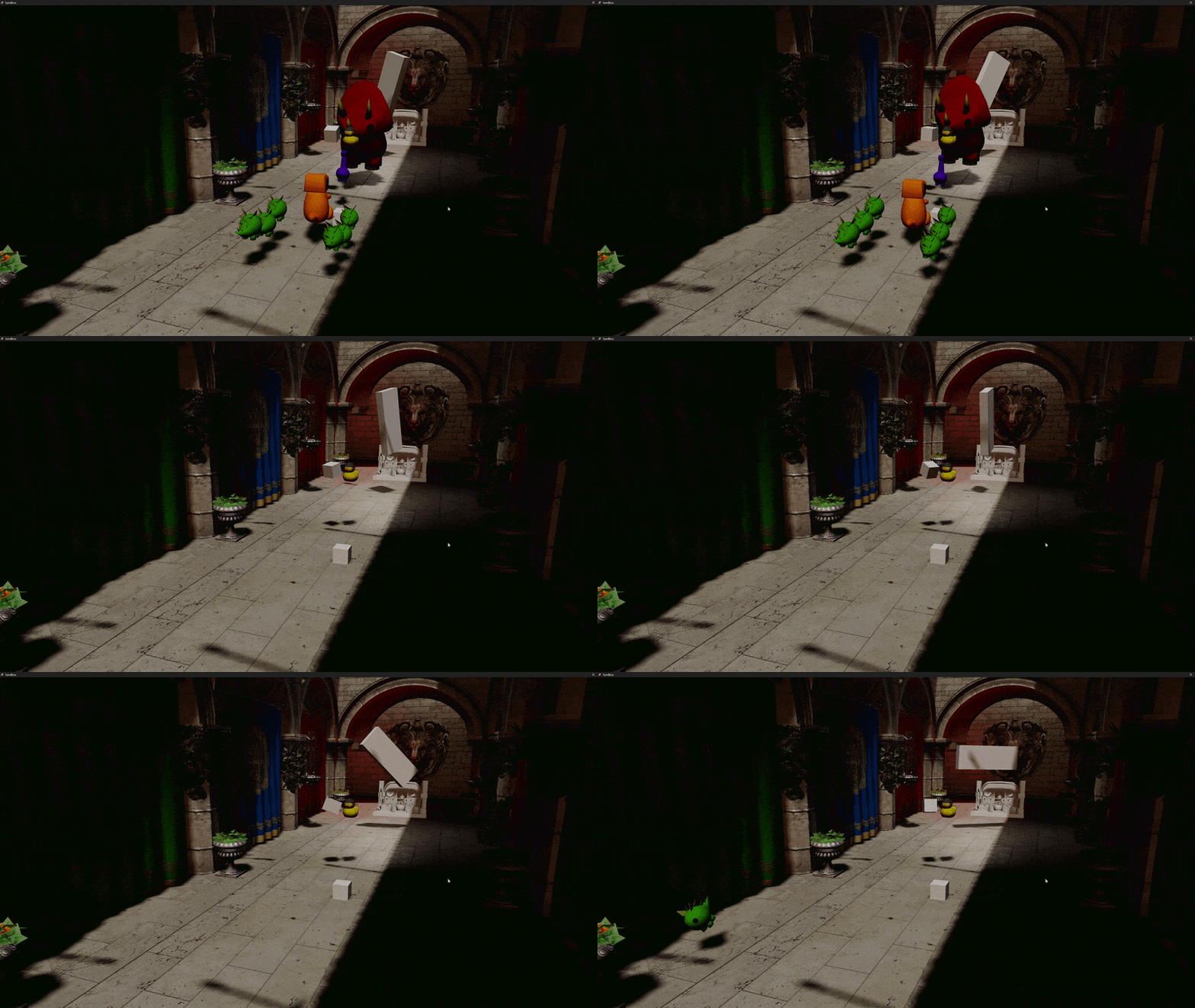
As mentioned above, Static, Dynamic, and Kinematic collider types are supported. Necessary variables, such as Mass and Restitution are configurable on a per-collider basis. In addition to that, the scripting API exposes functions for you to interact with the physics engine.
Scripting
Game logic in Raven is written in C++, compiled into hot-reloadable DLLs managed by the Ignite scripting runtime.
There is no VM, no managed runtime, no scripting language boundary. Your game code is C++. Ignite handles, loading, and reloading it, while the engine itself handles everything underneath. When you compile the DLL and thus trigger a reload, the old DLL is unloaded, the new one gets loaded, and script instances are re-bound to their entities without restarting the engine or the editor.
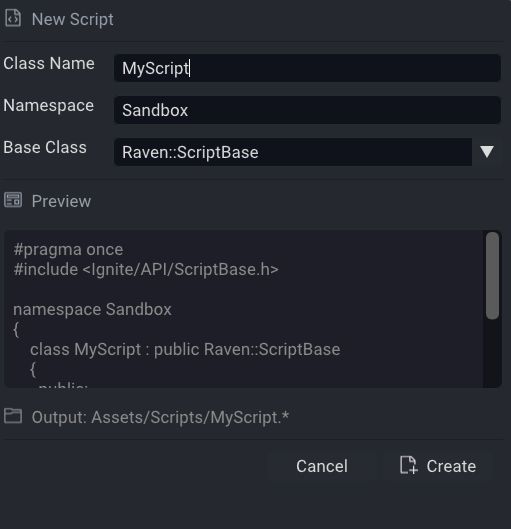
Adding new scripts via the Script Creation Wizard is handled internally by the engine via Progenitor. You create the scripts; the engine manages the project.
Writing a Script
All scripts inherit from Raven::ScriptBase and override ALL lifecycle methods.
#pragma once

#include "Ignite/API/ScriptBase.h"

namespace Sandbox
{
    class MyScript : public Raven::ScriptBase
    {
      public:
        void OnCreate() override;
        void OnUpdate(float dt) override;
        void OnDestroy() override;
    };
} // namespace Sandbox
OnCreate(): Once when the script instance is first activated
OnUpdate(float dt): Every frame, with delta time in seconds
OnDestroy(): Once when the entity is destroyed or the script is removed
Script API
The scripting API is organized into domain-specific headers, each responsible for a clear part of the engine:
- SceneAPI: Used for querying and interacting with entities in the scene.
- RendererAPI: Used for creating and managing meshes.
- PhysicsAPI: Provides body queries and allows applying forces.
- LogAPI: Used for logging messages to the log panel.
- RandomAPI: Provides both seeded and unseeded random number generatio
Editor
Raven's Editor is a Dear ImGui-based desktop application. It is the primary development environment for building games with the engine.
Scene Hierarchy Panel
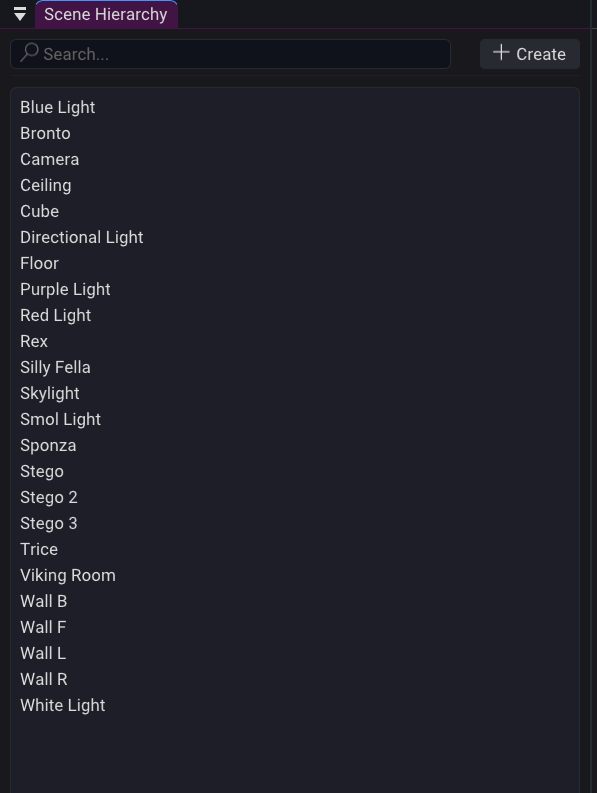
Entities are displayed in a sorted, navigable tree. Currently only displays entities and allows for creation and deletion of Entities. Parenting will be implemented at a later date.
Properties Panel
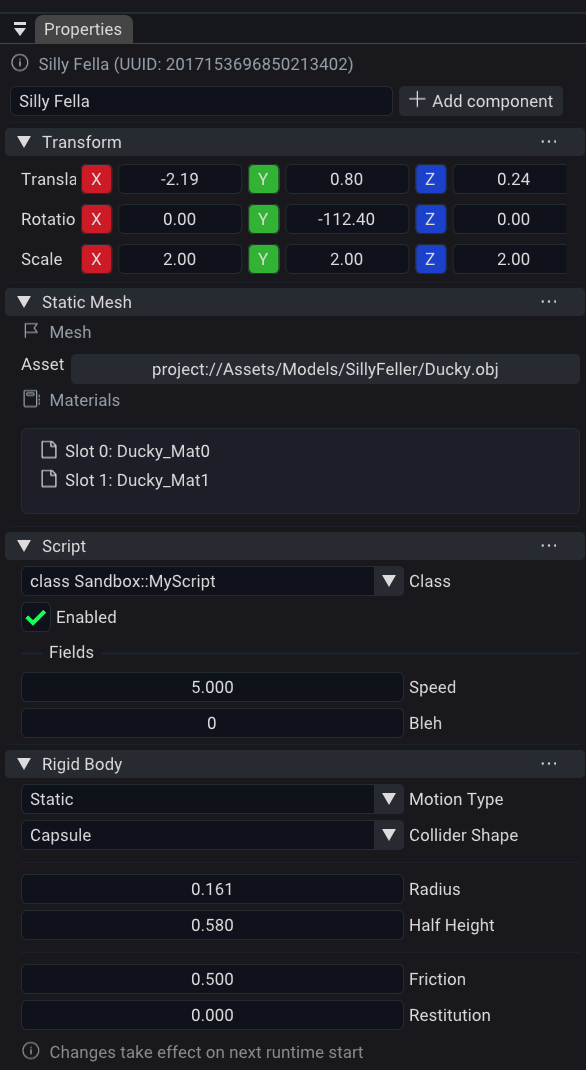
Selecting an entity opens its component list in the properties panel. This allows you to Add/Remove the entity's components and edit its data.
Script Wizard Panel
The Script Wizard handles C++ script project management directly inside the editor. Creating or removing scripts triggers background MSBuild and Premake5 regeneration. A modal progress overlay appears during compilation, keeping the editor responsive.
Log Panel
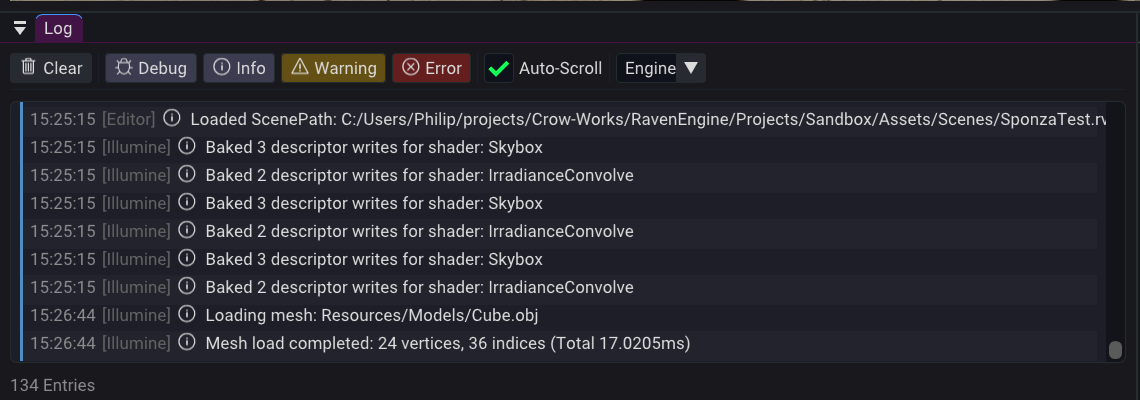
The Log Panel provides real-time visibility into engine, editor, and game events. Messages are categorized by severity and displayed as they are generated, allowing developers to quickly identify warnings, errors, and runtime behavior.
The panel supports:
- Information, Warning, Error, and Critical log levels
- Automatic scrolling to newest messages
- Source tagging
- Runtime logging from native C++ scripts through
LogAPI - Log filtering by severity
Known Limitations
We are not going to ignore these. 0.1 has gaps and you should know of them before you build anything on it.
No Audio System There is no audio support in Aurora. No sound effects. No music. No spatial audio. Projects requiring audio should wait for a future release.
No Animation System Skeletal animation is not implemented. Meshes render in their bind pose. You can move them via scripting, but animation do not exist as of yet.
VSync Stuttering With VSync enabled, some GPUs exhibit an odd stuttering with VSync enabled, jumping frame times between the Refresh-Rate and half of the refresh rate. Disabling and re-enabling VSync solves the issue, although it might take a few attempts.
Looking Ahead
Aurora is version 0.1. Here is an honest picture of where the engine goes from here.
- PBR: Physically Based Rendering, replacing the current Blinn-Phong shading model
- Skeletal Animation: Bone hierarchy, blend trees, animation state machines
- Point Light Shadows: Cube-map shadow rendering for dynamic point lights
- SSR / SSGI: Screen-Space Reflections and Screen-Space Global Illumination
- GPU-Driven Rendering: Indirect draw calls and GPU culling to scale to large scenes
- Audio: Basic spatial audio
- Improved Physics: Joints, constraints, continuous collision detection, Mesh colliders
- Collider Visualization
- Improved Scripting API & Coverage
- General UI/UX improvements: Hotkeys, Auto-Save, UI Latency reduction, etc.
Credits
Aurora represents over three years of development and redesign.
Special thanks to everyone who tested builds, reported issues, provided feedback, and helped shape Raven into its first public release.
See you in v0.2.